The Extra Help App
Run your moving company from the truck.
Owners of small moving companies are on the truck all day, not at a desk. The Extra Help App puts your leads, jobs, texts, paperwork and payments on your phone, and buzzes you the moment something happens.
Questions? Call (845) 668-3767
Saturday
7:42
- Extra Help Appnow
New lead
Jordan Lee priced a 2-bedroom move on your website.
- Extra Help App4m
New text
Sam R.: Can the crew come at 8 instead of 9?
- Extra Help App12m
Deposit paid
Deposit received for the Rivera move.
- Extra Help App31m
Bill of lading signed
Pickup signed on the Chen job.
- iPhone + Android
- One app for both
- Same sign-in
- Your Company ID and login
- Always current
- New features show up without an update
What it fixes
The office goes where the truck goes.
A lead comes in while you’re carrying a couch, and by the time you see it, they booked someone else.
Your phone buzzes the second a customer prices a move on your website.
Customer texts land on whoever’s personal phone, and nobody else can see them.
Text from your business number inside the job, so the whole conversation stays with the move.
The bill of lading rides around in the cab and comes back wet, torn or unsigned.
The customer signs at pickup and delivery right on the phone.
The balance gets chased for a week after the truck already left.
Collect the balance at the door, and the office sees it as paid right away.
Screen by screen
Everything you’d do at the desk, from the driveway.
These are real screens from Extra Help App at phone size, filled with a sample company and made-up customers. The app opens this same CRM.
01
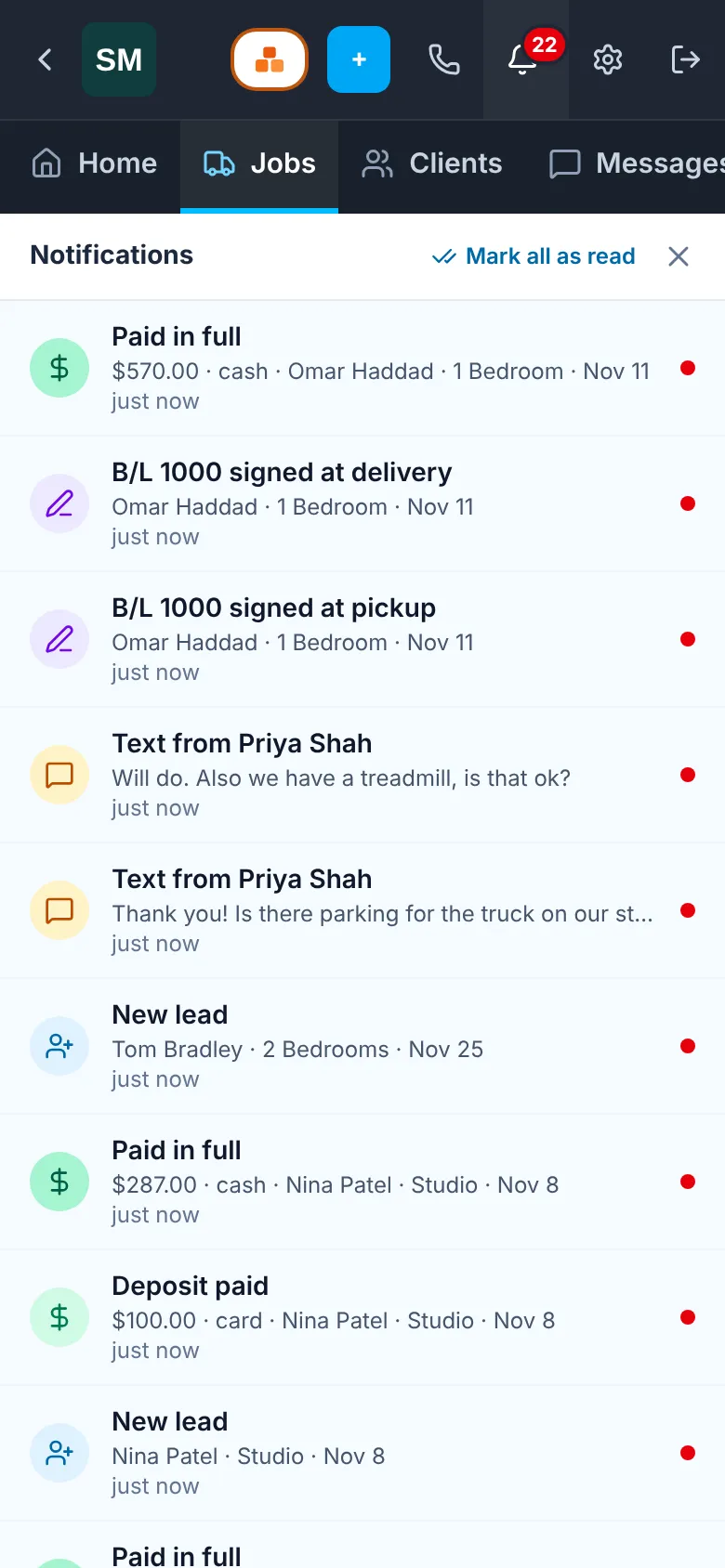
Know the moment it happens
Every alert the office gets in the CRM also lands on your phone. Tap one and the app opens on that job.
- New leads from your website
- Bookings, payments and signed paperwork
- Customer texts and crew changes
02
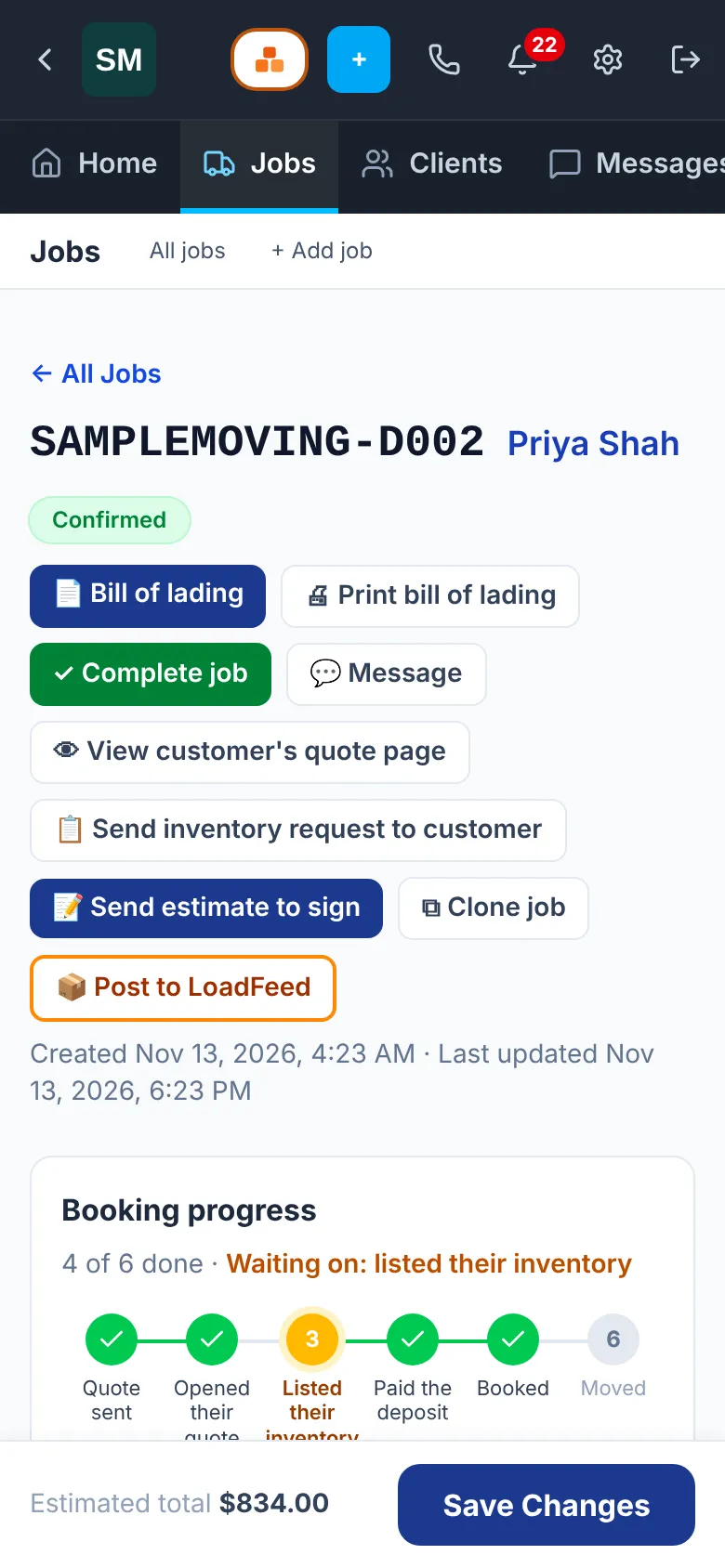
The whole job on one screen
Addresses, date, crew, price, payments and paperwork for the move, wherever you are.
- See what’s pending, booked and done
- Add services like packing to the job
- Close the job out when the truck is back
03
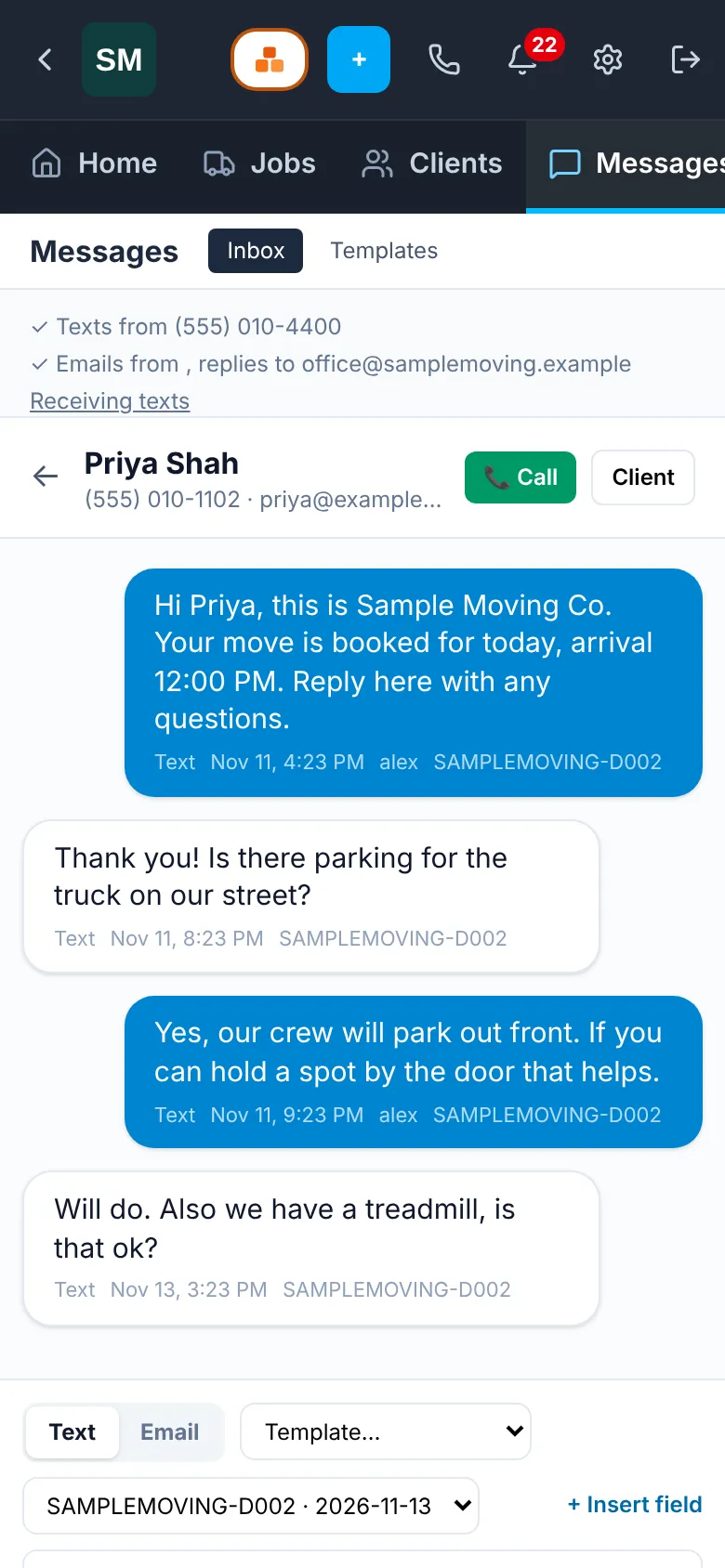
Text from your business number
Answer the customer from the app, and the conversation stays on the job for the whole team to see.
- Your company number, not your personal one
- Templates fill in the customer’s details
- The office sees every reply
04
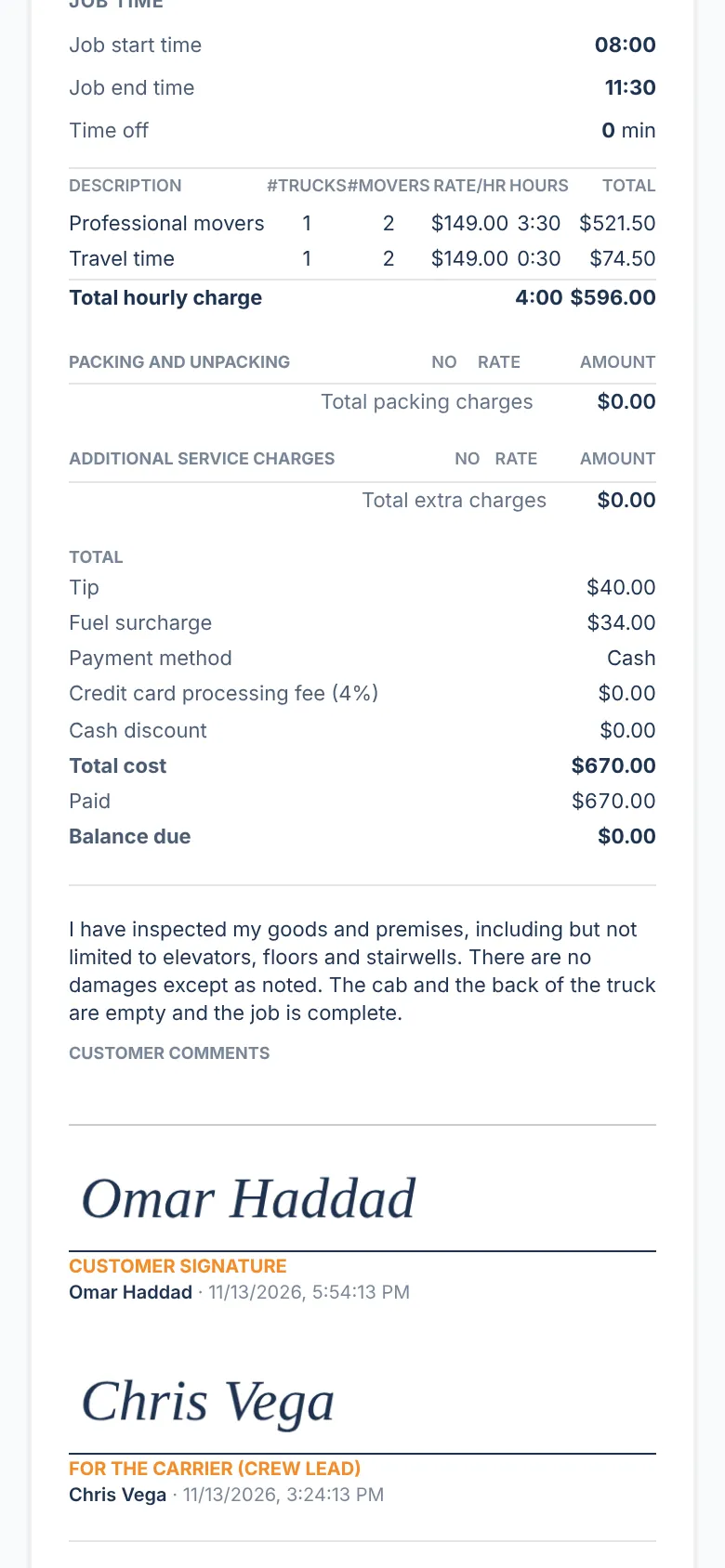
Sign the bill of lading on the spot
The customer picks their coverage, initials and signs at pickup and delivery. Time, tip, fuel and fees add up on their own.
- Signed on the crew’s phone or the customer’s
- Locked once signed, with every correction logged
- No clipboard, no lost paper
05
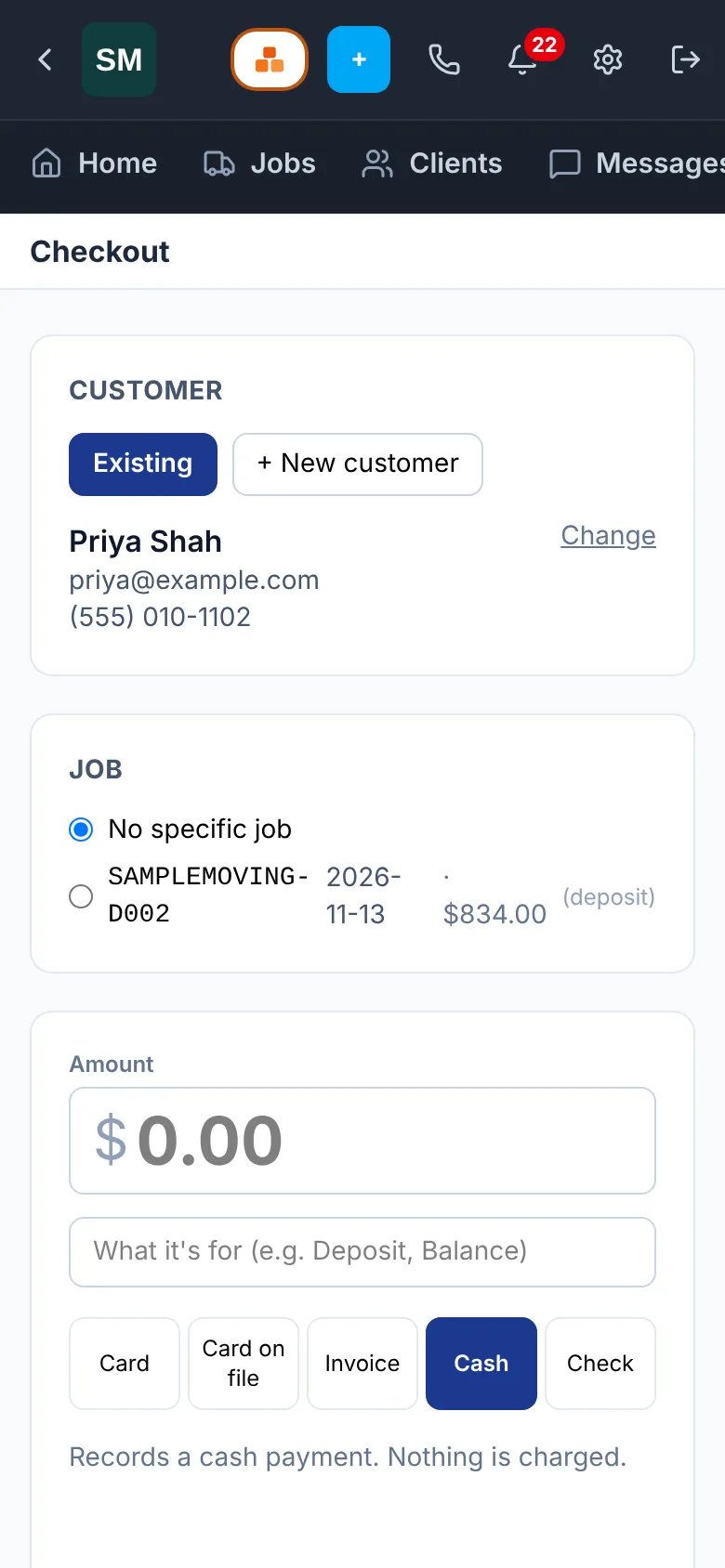
Get paid before the truck pulls away
Take the balance at the door, or send a payment link, and the job shows as paid for everyone.
- Card, card on file, invoice, cash or check
- Deposits by link before moving day
- No chasing balances afterward
06
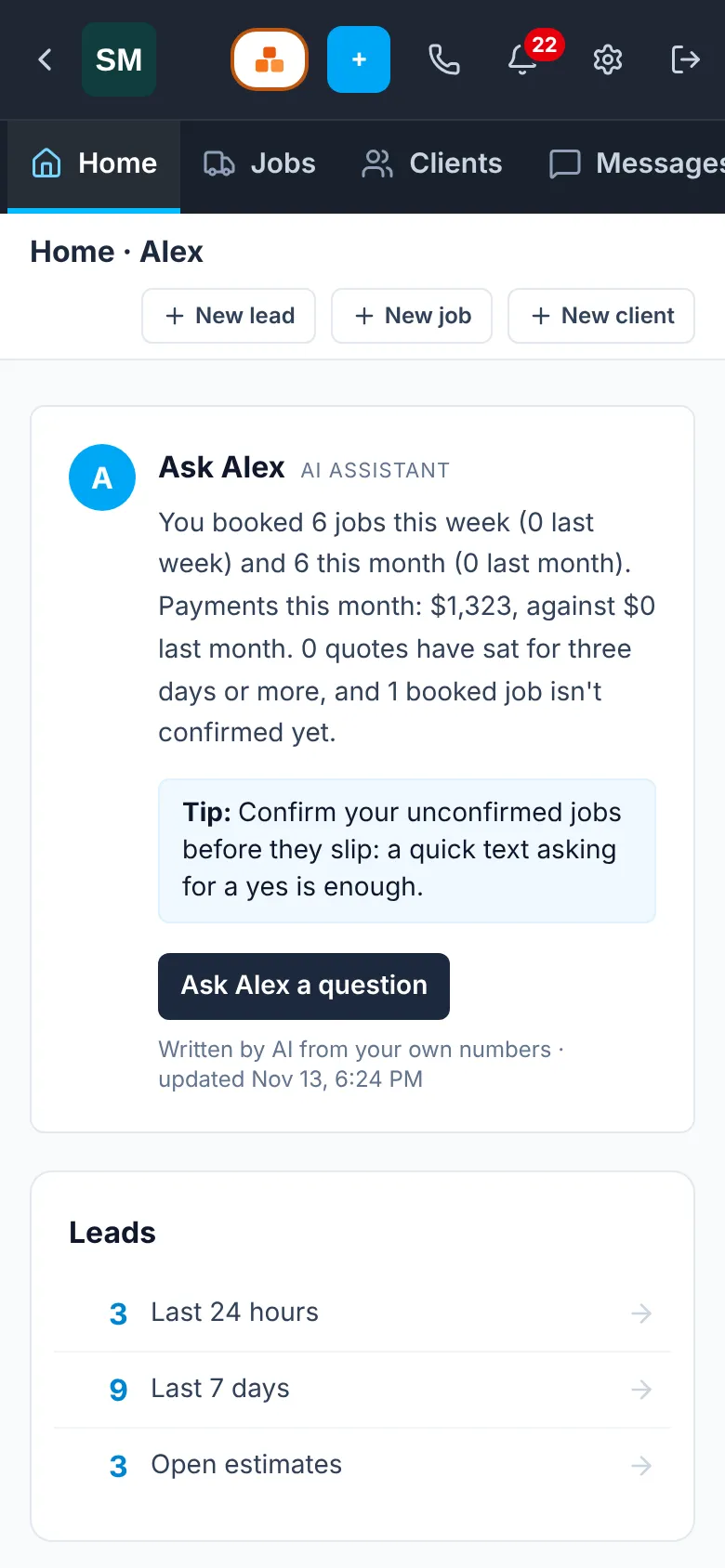
Your day, and Alex to help
Open the app to today’s schedule and counts of leads, estimates and jobs. Stuck? Ask Alex, the assistant built into the CRM.
- Today’s jobs at a glance
- Ask Alex how to do anything
- Same home screen as the office
Push notifications, the native part.
This is what a phone app does that a website can’t. Everyone in your office who signs in to the app and taps Allow gets the same alerts the CRM shows in its bell, on the lock screen, with sound. Tap one and it opens the right page.
- New lead
- Job booked
- Payment received
- Customer text
- Bill of lading signed
- Crew change
- Inventory sent in
One CRM, two ways in
Not a second system to learn.
Always the latest
The app opens the live CRM, so every improvement is on your phone the minute it’s on the website. No waiting on an update.
Office and truck in sync
The office works on the computer, you work on the phone, and it’s all the same jobs, texts and payments.
Honest about signal
Lose service in a basement or on the highway and the app tells you, with one tap to try again when you’re back.
Questions
About the app
Where do I download the app?
The iPhone and Android apps are on their way to the App Store and Google Play. Until they’re out, open extrahelpapp.com in your phone’s browser and sign in. It’s the same CRM.
Do I need a separate account for the app?
No. Create your company on the website, then sign in to the app with your Company ID and the same login you use on the computer.
Can I sign up from inside the app?
New companies sign up on the website. The app is for signing in and running your jobs.
Who gets the notifications?
Anyone on your team who signs in to the app and allows notifications. Each person gets the same alerts the CRM shows in its bell.
Does it work on both iPhone and Android?
Yes. It’s one app for both, with the same screens.
Do I have to update the app to get new features?
No. The app opens the live CRM, so new features show up as soon as they’re on the website.
What happens with no signal?
The CRM needs a connection to load your jobs. Without one, the app shows an offline screen with a button to try again.
What does it cost?
The app comes with your Extra Help App account. See the pricing page for plans. See pricing
Put your moving company in your pocket.
Create your free account on the website, set up your company, and sign in on your phone.